
If you run a small or medium-sized enterprise, you have likely asked yourself this exact question: why is my business internet so slow?
A slow internet connection is incredibly frustrating. It disrupts video calls, delays cloud access, and halts productivity across your entire team. For modern businesses, reliable connectivity is just as vital as electricity or water. When your internet speed drops, your business operations suffer.
This article explains exactly why your business internet is underperforming and provides actionable fixes. Whether you need a quick technical tweak or a long-term upgrade to robust business broadband, we will help you get your Sheffield SME back up to speed.
The Short Answer
Your business internet is likely slow due to one of four main reasons: an overloaded network, outdated hardware, weak Wi-Fi coverage, or limitations from your Internet Service Provider (ISP).
The quickest fixes involve restarting your router, connecting essential devices via ethernet cables, and pausing large background downloads during peak hours. However, if your team relies heavily on cloud computing, VoIP phone systems, and video conferencing, these quick fixes will only act as a plaster.
The long-term solution for reliable internet is upgrading your network infrastructure. This means switching to a dedicated business broadband package, such as a full fibre connection or a leased line, implementing Quality of Service (QoS) protocols, and upgrading your outdated routers. By addressing the root cause, you can eliminate dropped connections and secure high-speed data transfer for your entire office.
Common Culprits Causing Slow Internet Speeds
To fix a slow network, you must first identify the bottleneck. Here are the most common network issues that cause slow internet speeds in business environments.
Overloaded Network
An overloaded network occurs when the number of devices and the volume of data being transferred exceed the network’s capacity. In 2026, many SMEs face increased bandwidth demand due to cloud-based AI tools, hybrid work models, and an influx of connected smart devices.
When multiple users attempt to download large files, stream video calls, or run heavy software simultaneously, bandwidth limitations create major bottlenecks. Every device fights for a share of the connection, resulting in a drastically slow internet connection for everyone. To fix this, you should limit nonessential device access (like personal smartphones) from your main network and monitor bandwidth usage during peak hours.
Outdated Hardware
Outdated hardware is a surprisingly common culprit for slow speeds. You might pay for high-speed business broadband, but if your equipment cannot process the data fast enough, your internet speed will suffer.
Older modems, legacy switches, and outdated routers simply cannot support the bandwidth demands of modern business operations. Even the cables you use matter. Replacing old Cat5 cables with Cat6 or higher is highly recommended to support gigabit speeds. Regularly auditing your network devices and installing firmware updates ensures your hardware remains compatible with modern high-speed internet.
Weak Wi-Fi Coverage
If your internet speed drops depending on where you sit in the office, weak Wi-Fi is to blame. Wi-Fi signals degrade when they pass through thick walls, metal cabinets, or glass partitions. Interference from other devices, such as microwaves or neighboring wireless networks, can also disrupt your Wi-Fi signal.
Using the 5GHz frequency band can provide faster speeds and reduce interference compared to the older 2.4GHz band. For larger offices, conducting a wireless site survey helps identify Wi-Fi blackspots. Adding business-grade access points or Wi-Fi extenders will ensure a strong, reliable connection across your entire premises.
ISP or Internet Connection Limits
Sometimes the issue is entirely out of your building. You must verify your internet connection package against your actual usage. Many businesses unknowingly operate on residential broadband packages rather than dedicated business internet.
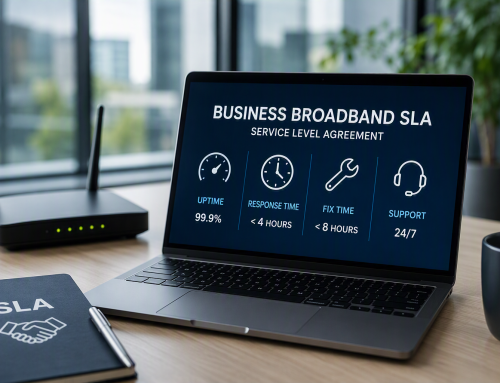
Business broadband is designed specifically for commercial use, offering higher speeds, better reliability, and Service Level Agreements (SLAs) that guarantee uptime. Residential broadband often suffers from high contention ratios, meaning you share your connection with surrounding houses. If your provider reports an outage or limits your bandwidth during busy periods, it is time to look at higher business internet tiers.
Network Configuration and Security Issues
Poor network configuration can lead to inefficiencies and vulnerabilities that severely impact your overall network performance. Issues with Dynamic Host Configuration Protocol (DHCP) or Network Address Translation (NAT) can cause routing delays.
Furthermore, security risks play a massive role. Malware and viruses can operate in the background, consuming significant bandwidth and sending data out of your network. Conducting a firewall audit, segregating guest networks from your core business network using VLANs, and running regular malware scans will keep your connection fast and secure.
How to Diagnose Internet Speed and Connection Problems
Before making any major changes, you need to diagnose exactly what is going wrong with your internet service. Effective troubleshooting requires a structured approach.
First, run a baseline internet speed test at off-peak times using a computer connected directly to the router via an ethernet cable. Save these speed test results and compare them against the speeds promised in your ISP contract.
Next, monitor the connection over several days. Pay attention to:
- Latency: The time it takes for data to travel to its destination and back. High latency causes lag during video calls.
- Packet Loss: When data fails to reach its destination. This causes dropped connections and missing audio on phone calls.
- Jitter: The variation in latency over time. Capturing jitter values is critical if you use VoIP systems, as high jitter makes conversations sound robotic and disjointed.
If your wired connection shows excellent speed but your wireless devices struggle, the issue is your Wi-Fi infrastructure. If the wired connection is slow, the issue lies with your router or your broadband provider.
Quick Fixes vs. Long-Term Solutions
Once you know what you are dealing with, you can implement fixes. We divide these into immediate technical steps and strategic long-term investments.
Quick Fixes for Slow Internet
If you need to improve performance right this minute, try these quick fixes:
- Restart Your Hardware: Power cycling the modem and router can clear temporary glitches, refresh IP leases, and re-establish a cleaner connection to your ISP.
- Switch to Wired Connections: Move critical devices, such as reception PCs or heavy-data workstations, to wired ethernet. Wired connections provide more stable and faster internet speeds than Wi-Fi.
- Relocate the Router: Move your router to a central, elevated position within the office. Keep it away from thick walls and electronic interference.
- Pause Background Updates: Advise staff to check background software updates and schedule large data backups outside of core business hours.
Long-Term Solutions for Reliable Business Broadband
To future-proof your business operations, you must look beyond quick fixes. Modern business broadband systems must be tailored to meet specific operational demands.
- Upgrade to Fiber or Leased Lines: Fiber-optic broadband offers unparalleled data transmission speeds and reliability. For ultimate performance, a leased line provides a dedicated, uncontended connection with symmetric upload and download speeds.
- Implement Quality of Service (QoS): QoS allows you to priorities essential business traffic over non-essential traffic. For example, you can configure QoS to ensure VoIP voice calls and cloud software always receive priority bandwidth over someone watching YouTube on their lunch break.
- Establish a Wireless Backup: Implement a 4G or 5G failover system. If your primary broadband line is cut, your network automatically switches to the mobile network, ensuring total business continuity.
- Segment the Network: Use Virtual Local Area Networks (VLANs) to separate your traffic. Keep your point-of-sale terminals, staff computers, and guest Wi-Fi on entirely different virtual networks to prevent device overload and improve security.
SME Checklist to Fix Slow Internet Speeds
Use this checklist to systematically improve your internet connection:
- Run a speed test: Connect via ethernet and test your baseline speed.
- Save speed test results: Keep a log to compare performance over time.
- Map device inventory: Audit how many devices connect to your network daily.
- Measure bandwidth usage: Identify which applications consume the most data.
- Reboot core network devices weekly: Clear out digital cobwebs regularly.
- Update router firmware monthly: Patch security flaws and improve performance.
- Limit automatic updates: Schedule large downloads for outside business hours.
- Schedule a network performance review quarterly: Ensure your setup scales with your business growth.
FAQs
Why is my business internet slow?
Your business internet is likely slow due to bandwidth saturation (too many devices using the connection simultaneously), outdated hardware like legacy routers, weak Wi-Fi signals blocked by physical obstacles, or relying on an inadequate residential broadband package instead of a dedicated business connection.
How to test internet speed?
To accurately test your internet speed, plug a laptop directly into your main router using a Cat6 ethernet cable. Disconnect other devices and pause any downloads. Run a test using a reputable speed test tool to measure your download speed, upload speed, latency, and jitter. Compare these results to your provider’s SLA.
When to upgrade business broadband?
You should upgrade your business broadband when your team regularly experiences dropped video calls, slow file uploads, or poor VoIP call quality. You should also upgrade if your business is growing, adding more staff, adopting new cloud-based software, or if you are still relying on old copper network technology ahead of the upcoming industry switch-off.
How Digital Exchange Can Help With Business Internet Issues
Troubleshooting slow internet speeds takes time and technical expertise that many SME owners simply do not have. This is where professional support makes all the difference.
Digital Exchange is your local Sheffield expert for business telecoms and connectivity. We provide a comprehensive range of solutions designed to eliminate slow network issues permanently. From installing ultra-fast full fiber services and dedicated leased line connections to setting up 4G/5G failover plans, we build resilient digital infrastructure for local businesses.
If you struggle with poor voice quality, we can implement Quality of Service rules and provide static IP options tailored for seamless hosted VoIP offerings. We also conduct detailed site surveys to eliminate Wi-Fi blackspots and install business-grade access points.
Stop letting slow internet speeds hold your business back. Book a Consultation with Digital Exchange today to request a full network health audit.