
Nothing disrupts business communication quite like a phone call that abruptly disconnects mid-sentence. When you rely on modern technology to connect with clients, partners, and colleagues, dropped calls and poor audio quality can severely damage your professional reputation. VoIP phones are excellent alternatives to traditional landline systems. With UK fixed voice revenues down 13.3% year-on-year, this continues the long decline of legacy voice as lines migrate to VOIP. However, this technology relies entirely on a stable internet connection.
When your network performs poorly, your voice calls suffer. A weak link in your network layout can negatively impact voice quality, leading to immense frustration for both your staff and your customers.
This guide explains exactly what causes dropped VoIP calls and how to fix them. We will explore the business impact of these interruptions, dive into common call quality issues like choppy audio and packet loss, and provide actionable troubleshooting steps to restore your VoIP performance.
Why Dropped Calls And Call Quality Issues Matter
Dropped calls occur when a call ends abruptly on its own while conversing on the phone. In a business setting, the impact of dropped VoIP calls goes far beyond minor annoyance.
Every time calls drop during a sales pitch or customer support session, you risk losing revenue and eroding trust. Customer satisfaction is directly tied to how easily and clearly clients can communicate with your team. If they constantly experience poor audio quality or sudden disconnections, they will likely take their business elsewhere.
Furthermore, persistent VoIP problems reduce employee productivity. Staff members waste valuable time repeating themselves, calling clients back, and apologising for technical difficulties. Resolving VoIP call quality problems is not just an IT task; it is a critical business priority. By understanding the root causes of these VoIP issues, you can implement effective solutions and ensure seamless, professional communication.
The Role of Internet Service Provider In Dropped Calls
Your internet service provider (ISP) plays a massive role in the success or failure of your VoIP system. VoIP systems send calls over the internet and rely heavily on internet latency, speed and bandwidth capacity.
When you make a call, your voice is converted into data packets. These VoIP packets must travel from your network, through your ISP’s routing infrastructure, to the recipient. If your internet service provider experiences network congestion or routes your traffic inefficiently, those packets can arrive late, out of order, or not at all.
Signs of ISP-related network congestion include slower internet speed during peak business hours, web pages taking longer to load, and a sudden spike in choppy audio during voice calls. If you suspect your current VoIP service provider or ISP is to blame, you could test by switching to an backup connection via an alternative ISP or a cellular failover connection. If the VoIP call quality improves immediately on the backup connection, the issue almost certainly lies with your primary internet connection.
Call Quality Issues: Choppy Audio, Packet Loss, And Delayed Audio
Before a call drops completely, you will often notice a decline in overall call quality. Understanding these early warning signs can help you diagnose and fix dropped calls before they become a daily occurrence.
Packet Loss
Packet loss occurs when data packets fail to reach their intended destination. Because VoIP relies on a continuous stream of voice data, missing packets create noticeable gaps in the conversation. Packet loss can result in choppy audio and dropped calls during VoIP conversations. When packet loss exceeds just 1% or 2%, the human ear begins to notice the degradation in audio quality.
Choppy Audio
Choppy audio is a direct symptom of packet loss and network instability. It sounds like the person on the other end is speaking through a stuttering robotic filter. This is often caused by insufficient upload and download speeds, or because other applications on your network (like streaming services or large file downloads) are consuming too much internet bandwidth.
Delayed Audio And Jitter
Latency can cause delays in audio during VoIP calls, leading to awkward moments where both parties talk over each other. Jitter is the delay that arises when packets do not arrive in the order they left the sender, affecting call clarity. To troubleshoot these quality issues, we recommend measuring your network latency, jitter, and packet-loss rates using dedicated network diagnostic tools. Consistent low-latency performance is mandatory for effective VoIP communication.
Phone System, Hardware, And Device Causes Of Dropped Calls
Sometimes, the internet connection is perfectly fine, but the physical hardware fails. Your VoIP phone system comprises various devices, including IP phones, routers, switches, and headsets. Checking hardware and ensuring it is functioning properly can help prevent dropped calls.
Firmware mismatches on IP phones can cause unpredictable behaviour, including sudden disconnections. Updating VoIP phone firmware can resolve various call quality issues and ensure compatibility with your VoIP provider.
Additionally, environmental factors like interference from other devices can cause dropped calls. If you use Wi-Fi for your VoIP devices, weak signals or disrupted radio signals can easily cause a call to drop. Using wired connections instead of Wi-Fi can help strengthen signals and reduce dropped calls. We strongly advise replacing faulty network cables and testing your connection with a known-good endpoint (such as a hardwired desktop phone) to rule out hardware failure.
SIP, Firewalls, And Outbound Calls Failures
When dealing with VoIP troubleshooting, firewalls and router settings are frequent culprits. VoIP technology uses the Session Initiation Protocol (SIP) to set up and manage phone calls. Unfortunately, many consumer-grade routers and corporate firewalls interfere with this protocol.
SIP ALG Interference
SIP ALG (Application Layer Gateway) is a feature found on many routers intended to help VoIP traffic navigate Network Address Translation (NAT). However, SIP ALG often modifies SIP packets incorrectly. This can corrupt VoIP data packets, leading to dropped calls, registration failures, and problems making outbound calls. Disabling SIP ALG on routers can resolve issues with making outbound calls and keep your connection stable.
Firewall UDP Timeouts
Firewalls may block VoIP traffic, mistaking it for a security threat, which can result in dropped calls. VoIP uses the User Datagram Protocol (UDP) to transmit voice packets. UDP timeout determines how long a UDP route stays open on a firewall or router. If the UDP session timeout is set too low, the firewall might close the connection during a brief moment of silence in the conversation, resulting in a dropped call. Instruct your IT team to check the UDP timeout settings on your firewall and increase them to prevent these abrupt disconnections.
Quick Tests To Reproduce A Dropped Call
To fix dropped calls, you must first understand exactly when and why they happen. Reproducing the error gives you valuable data for troubleshooting.
- Run a VoIP-specific speed test: Standard speed tests measure raw download and upload speeds, but a VoIP-specific speed test evaluates jitter, latency, and packet loss. Run this test while a call is active to see how your network performs under load.
- Perform ping and traceroute: Run a continuous ping and a traceroute to your VoIP provider’s server. This helps you pinpoint exactly where network latency or packet loss is occurring—whether it is inside your local network or out on the wider internet.
- Record time and symptoms: Keep a detailed log of when calls drop. Note the exact time, the devices involved, and the symptoms leading up to the drop (e.g., choppy audio, one-way audio, or a sudden silent disconnect).
How To Fix Dropped Calls: Step-By-Step Troubleshooting
Once you have identified the potential causes, you can take systematic steps to restore a stable internet connection for your voice traffic.
Switch To A Wired Ethernet Connection
Wi-Fi instability increases the likelihood of dropped VoIP calls. Wi-Fi can be inconsistent for VoIP calls due to signal interference and shared bandwidth. Switch your VoIP device from Wi-Fi to a wired ethernet connection. A dedicated ethernet line provides a much more stable connection for your data packets.
Update Firmware On Phones And Gateways
Manufacturers regularly release firmware updates to patch security vulnerabilities and fix bugs. Outdated firmware can cause your IP phones to lose their network address momentarily, leading to disconnection. Log into your device management portal and update the firmware on all phones, routers, and gateways.
Enable Quality Of Service (QoS)
Network congestion can lead to dropped calls when the network is overloaded or does not prioritize calls. Quality of Service (QoS) settings should be configured on routers to prioritize VoIP traffic. By setting up Quality of Service, you tell your network to process voice packets before regular data packets, ensuring that large file downloads do not interrupt your business communication.
Adjust Router Settings
Log into your router and make two crucial changes. First, ensure you are disabling SIP ALG. Second, increase the UDP session timeout settings. A longer timeout prevents the router from aggressively closing idle connections during brief pauses in conversation.
Adjust RTP Silence Detection
Some VoIP systems use Real-Time Transport Protocol (RTP) silence detection to save bandwidth by stopping the transmission of packets when no one is speaking. If configured incorrectly, the system might assume the call has ended and drop it. Adjust your RTP silence detection settings or disable the feature temporarily to see if it provides improved call quality.
Monitoring Call Quality And When Calls Drop
Fixing the immediate problem is only half the battle; you must monitor your network to ensure the VoIP issues do not return.
Set up continuous jitter and packet-loss monitoring on your network. Many modern VoIP providers offer analytics dashboards that track these metrics in real time.
Additionally, you should regularly collect call detail records (CDRs) for dropped calls. These records contain technical data about how the call was routed and why it ended. Finally, use synthetic calls—automated test calls generated by monitoring software—to simulate outbound calls during off-hours. This allows you to test network stability without impacting real customers.
Preventive Best Practices For Phone Calls And Call Quality
A proactive approach to network management will save you from future VoIP call quality problems. Implementing these preventive best practices will fortify your VoIP system.
Segment Voice On A Dedicated VLAN
Segmenting VoIP traffic on a Virtual Local Area Network (VLAN) can improve performance and security. By placing your VoIP phones on their own VLAN, you isolate voice traffic from general data traffic. This prevents internal network congestion from impacting your voice calls.
Reserve Bandwidth Via DSCP Marking
Use Differentiated Services Code Point (DSCP) marking to classify and manage network traffic. This works hand-in-hand with QoS to guarantee that a specific portion of your internet bandwidth is always reserved for VoIP technology, regardless of other network activity.
Use Business-Class Hardware
Consumer-grade routers often cannot handle sustained VoIP traffic or properly manage SIP and RTP streams. Upgrade to business-class routers and managed switches. These devices offer granular control over your network traffic and are built to handle the rigorous demands of enterprise VoIP.
Deploy UPS For Critical Equipment
VoIP performance can be affected by power outages that disrupt devices and SIP registrations. Uninterruptible Power Supplies (UPS) should be installed on routers, switches, and IP phones to prevent outages during power failures.
When To Contact Your Internet Service Provider Or Replace Your Phone System
Sometimes, internal VoIP troubleshooting is not enough. You need to know when to escalate the issue.
Contact your internet service provider when multiple networks show packet loss or if your ping tests reveal significant delays outside your local network infrastructure. If your ISP cannot resolve the network instability, you may need to upgrade your internet speed or switch providers entirely.
Escalate to your VoIP provider for persistent call drops that happen despite a perfect internet connection. Faulty SIP timers can lead to dropped calls if endpoints from different manufacturers are incompatible. Your VoIP provider can run server-side diagnostics to identify these mismatches.
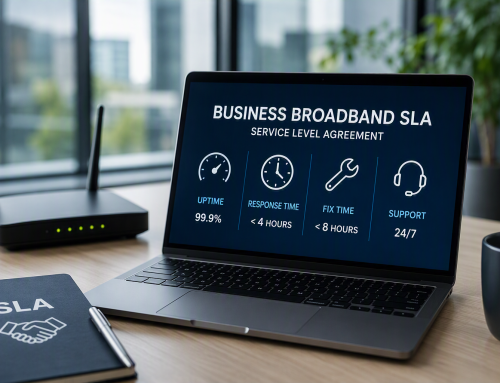
Finally, recommend phone system replacement if hardware fails repeatedly. If you rely on outdated, legacy hardware, transitioning to a modern, fully supported cloud VoIP network is the most effective way to eliminate these persistent quality issues. Choosing a reliable VoIP provider with a minimum uptime SLA of 99.99% is crucial for maintaining call quality. Furthermore, ensure your VoIP provider offers enhanced privacy features like TLS and SRTP encryption to protect unencrypted calls from eavesdropping.
Summary Checklist To Fix Dropped Calls
Use this summary checklist to systematically address and eliminate dropped VoIP calls in your business:
- Run network diagnostics (speed tests, ping, traceroute) and save the logs.
- Move devices from Wi-Fi to wired ethernet connections.
- Update all VoIP firmware and routing software.
- Log into your router: disable SIP ALG and increase UDP timeouts.
- Apply QoS and DSCP markings to prioritize voice traffic.
- Segment your VoIP devices onto their own VLAN.
- Ensure critical networking equipment is connected to a UPS.
- Test calls after each change and document the outcomes.
- Contact your ISP or VoIP provider if the problem persists beyond your local network.
By following these steps, you can eliminate the frustration of choppy audio, delayed audio, and sudden disconnections, ensuring your team has the reliable tools they need to succeed.
Are dropped calls and poor audio quality still impacting your business communication? Do not let technical issues cost you another client. Contact Digital Exchange today for a comprehensive network consultation and discover how we can optimise your VoIP system for flawless connectivity.